Introduction
A new lead arrives from a Facebook ad. Your team copies the details into a spreadsheet, sends a reply, and sets a reminder to follow up. Later, another person asks the same product question through your website. These small tasks can take up a large part of the working day. AI-powered Odoo can help connect these steps. With the right setup, your business can capture enquiries, prepare useful replies, organise follow-ups, and support customers from a shared system. Your team gets more time to focus on conversations that need personal attention.
What is AI powered Odoo?
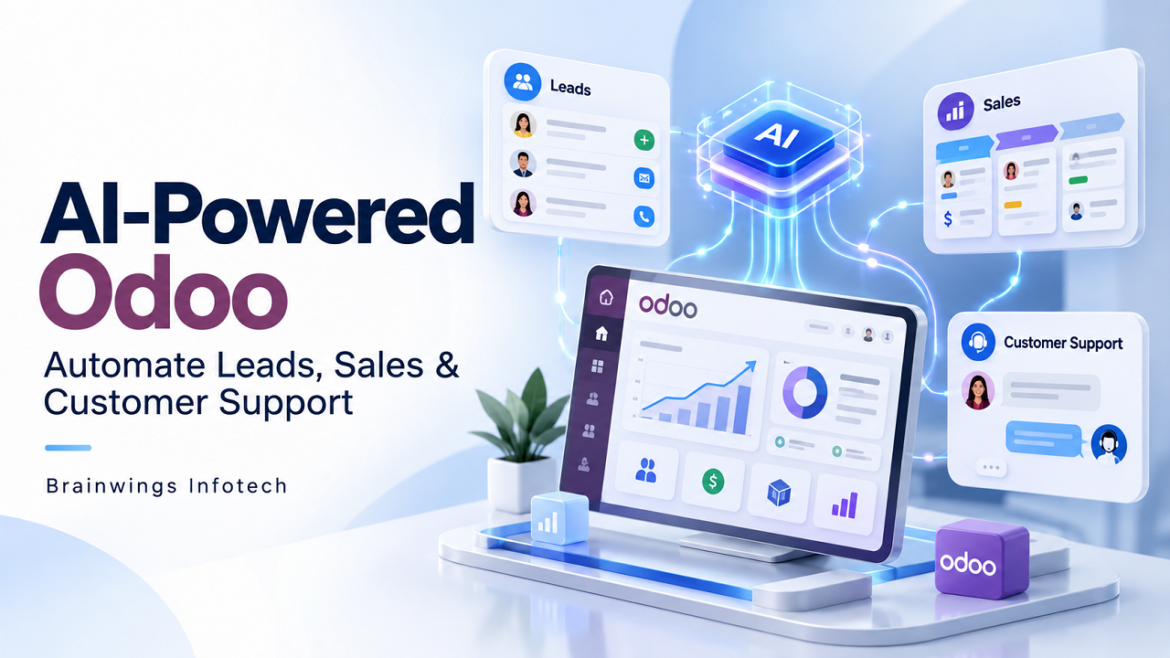
AI-powered Odoo combines Odoo business applications with artificial intelligence. Odoo holds business records and manages workflows. AI can help understand customer messages, summarise information, and draft responses using the information it is allowed to access.
Odoo 19 documents AI agents that can use configured tools, including lead creation when CRM is installed. The features available to your business depend on your Odoo version, edition, hosting, and installed apps. Connecting Meta Ads, WhatsApp, or an external AI service may require additional modules or custom development. A useful setup uses clear rules for actions such as assigning leads and sending reminders. AI handles tasks such as reading an enquiry or preparing a relevant reply. This keeps the process easier to check and manage.
Capture leads without repeated data entry
Enquiries may arrive through website forms, Meta Lead Ads, email, or chat. A configured integration can bring supported enquiries into Odoo CRM and map details such as the customer name, contact information, service interest, and campaign source.
For example, a person who submits a Meta form for an Odoo demo can become a CRM lead. The workflow can check for an existing contact, assign an owner, and create a follow-up activity. Keeping the source with the record helps your team see which campaigns bring useful enquiries.
Use AI to qualify enquiries
Not every lead is ready to buy. Some people want a price, while others need help choosing a service. AI can summarise the enquiry and extract details such as the requested service, expected timeline, and business needs.
Your business can then apply agreed rules to prioritise leads. A customer asking for a demo this week may need a faster response than someone doing early research. When important details are missing, the system can suggest a follow-up question instead of guessing. Lead priority should support the sales team’s judgement. It should not be treated as proof that a person will buy.
Make sales follow ups more consistent
An enquiry can be missed when a salesperson is busy. Odoo activities and configured automation can help schedule the next action, notify the assigned person, and keep the conversation linked to the lead.
AI can draft a follow-up based on the customer’s question and approved service information. Your team can review the message before sending it. For routine messages, a tested workflow can send an acknowledgement automatically through a connected channel.
WhatsApp automation needs the appropriate account setup, customer consent, and compliance with the messaging rules that apply to the message. Email and WhatsApp delivery should also be logged so failed messages can be reviewed..
Help the sales team prepare better replies
Sales conversations often include repeated questions about services, delivery times, and next steps. An AI assistant can use approved business content to prepare an initial response and summarise previous discussions.
For example, a lead may ask whether Odoo can connect with an online store. The assistant can draft a reply based on your supported integrations and suggest the information needed for an assessment. A salesperson can then confirm the scope and prepare the quotation.
Prices, discounts, delivery promises, and final quotations should follow your business approval process. AI should use verified information rather than inventing terms.
A practical lead to sales example
Consider a service business running a Meta campaign for product demos. With a custom integration, the process could work as follows:
- A customer submits the ad form and the integration creates or updates an Odoo CRM record.
- The system sends an approved acknowledgement and assigns the lead to a salesperson.
- AI summarises the enquiry and drafts a question about any missing requirements.
- The salesperson reviews the details, arranges a demo, and prepares an offer.
- Odoo records follow-up activities and the team updates the final sales outcome.
This workflow can reduce repeated admin work and help the team respond consistently. Conversion still depends on the customer’s needs, your offer, and the quality of the sales conversation.
Start with one useful workflow
Begin with a clear problem, such as missed enquiries or slow first replies. Confirm the Odoo edition and required integrations, define who can access customer data, and prepare the information the AI should use. Test with sample records before allowing automatic messages or record updates.
Track first response time, completed follow-ups, qualified leads, support handovers, and failed actions. Compare results with your earlier process so you can see where automation is helping and where it needs adjustment..
Build your Odoo AI workflow with Brainwings Infotech
Brainwings Infotech provides Odoo development, customisation, and integration services. We can help assess your current workflow and plan how Odoo, AI, and connected communication tools can work together for your business.Want to reduce manual follow-ups and improve customer support? Contact Brainwings Infotech to discuss your Odoo AI integration requirements.
Frequently asked questions
Can AI be connected to Odoo Community?
Yes. Odoo Community can be extended through compatible modules or custom integrations with external AI services. Do not assume that features documented for other editions are included in your Community installation.
Can AI automatically turn every lead into a sale?
No. AI can help organise enquiries, prepare replies, and support follow-ups. A successful sale still depends on customer interest, pricing, service fit, and your team’s work.
Does Odoo AI integration require coding?
Some supported features can be configured through installed apps. Connecting external services or adding business-specific actions may require custom development.