Introduction
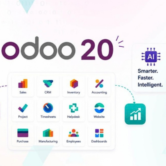
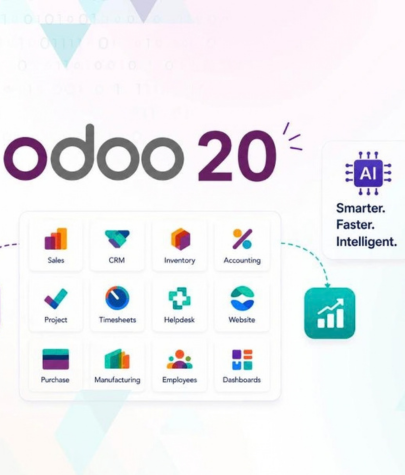
Odoo is one of the most popular ERP platforms for businesses that want to manage sales, CRM, accounting, inventory, manufacturing, HR, websites, and other operations from one system. With the release of Odoo 20 in September 2026, many businesses currently using Odoo 19 are considering an upgrade to access the latest improvements and keep their ERP environment current.
However, an Odoo 19 to Odoo 20 upgrade is more than simply installing a new version of the software. A successful Odoo migration requires proper planning, database preparation, custom module checks, testing, and a carefully managed production rollout.
At Brainwings Infotech, we help businesses manage Odoo migration, customization, development, testing, and deployment so they can move to a newer Odoo version with less disruption. Our Odoo migration approach focuses on data safety, system compatibility, testing, and a smooth business transition.
What Is an Odoo 19 to Odoo 20 Upgrade?
An Odoo upgrade means moving your existing database from one major Odoo version to a newer supported major version. In this case, the migration is from Odoo 19 to Odoo 20.
The goal is to preserve important business data while making the database compatible with the new Odoo version.
An Odoo upgrade can involve:
- Customer and vendor records
- Products and product variants
- Sales orders and purchase orders
- Invoices and accounting information
- Inventory and warehouse data
- CRM opportunities and activities
- Employees and HR records
- Website and eCommerce data
- Configurations and settings
- Custom modules and business workflows
- Third-party integrations
Odoo’s upgrade process is designed for moving databases between major versions. However, databases containing custom modules require additional technical work because the custom code must be compatible with the target version.of business performance while allowing individual companies to maintain their own operational and financial information.
Why Should Businesses Upgrade from Odoo 19 to Odoo 20?
Upgrading to a newer Odoo version can help businesses stay aligned with the platform’s latest functionality, fixes, and security improvements. Odoo recommends using supported versions and notes that major versions receive standard support for a defined period.
There are several reasons to consider an Odoo 20 upgrade.
1. Access New Odoo 20 Improvements
Every major Odoo release introduces enhancements across applications and the overall user experience. Odoo 20 release notes include improvements to areas such as activities, calendar workflows, email communication, chatter, accounting-related functionality, and other business applications.
2. Keep Your ERP Environment Current
Running an outdated ERP version for too long can make future upgrades more difficult. Odoo states that a smaller version gap generally makes an upgrade easier.
3. Improve Compatibility
Businesses often connect Odoo with payment gateways, shipping tools, websites, marketplaces, accounting services, APIs, and custom applications. Keeping Odoo updated can make it easier to maintain a modern technology environment.
4. Review Old Customizations
An upgrade is also a good time to review older custom modules and custom workflows. Some custom features may no longer be necessary because standard Odoo functionality has improved.
Odoo specifically recommends reviewing custom developments and looking for opportunities to remove unnecessary customization before the upgrade.
5. Reduce Technical Debt
Old custom code can increase maintenance costs. During an Odoo 19 to Odoo 20 migration, businesses can identify outdated modules, duplicate functionality, and unnecessary modifications.
Before You Start: Odoo 20 Upgrade Checklist
Create a complete inventory of your current Odoo setup.
Check:
- Odoo edition: Community or Enterprise
- Hosting type: Odoo Online, Odoo.sh, or on-premise
- Installed applications
- Custom modules
- Third-party modules
- Custom reports
- Automated actions
- API integrations
- Payment and shipping integrations
- Website customizations
- Studio customizations
- Scheduled jobs
- User roles and access rights
This assessment helps identify possible compatibility problems before the production upgrade.
Create a Complete Backup
Always create a reliable backup of your Odoo database before migration.
For on-premise installations, Odoo documents database backup procedures through the database manager. Odoo also recommends working with duplicate or test databases before making important changes.
Your backup strategy should account for both the database and the filestore where applicable.
Identify Custom Modules
Custom modules are one of the biggest considerations in an Odoo version upgrade.
Odoo’s documentation explains that a database containing custom modules cannot be upgraded until compatible versions of those modules are available for the target version.
Prepare a list of every custom module and determine:
Does it require migration scripts?
- Is it still needed?
- Does Odoo 20 already provide the same feature?
- Is the module actively maintained?
- Does its Python code need changes?
- Does its XML need changes?
- Does its JavaScript need changes?
Odoo 19 to Odoo 20: Odoo Online vs Odoo.sh vs On-Premise
Your migration approach depends heavily on where Odoo is hosted.
Odoo Online
Odoo Online is managed by Odoo and supports its standard platform applications. Odoo documentation states that Odoo Online is not compatible with non-standard apps.
Businesses using non-standard modules should therefore review their architecture carefully before choosing or planning an Odoo Online migration.
Odoo.sh
Odoo.sh is suitable for projects involving Community or custom modules because the source code and modules can be managed through GitHub-based development workflows. Odoo.sh also provides an Upgrade section for eligible projects.
On-Premise Odoo
With an on-premise deployment, the business or technical partner has greater control over the server, source code, database, modules, backups, and deployment process.
This flexibility can be useful for heavily customized Odoo environments, but it also means the technical team is responsible for properly managing the upgrade.plementation. Conversion still depends on the customer’s needs, your offer, and the quality of the sales conversation.
How Brainwings Infotech Can Help with Odoo 19 to Odoo 20 Migration
Upgrading an ERP system can be difficult when a business has custom modules, integrations, complex workflows, or a large database.
Brainwings Infotech provides Odoo migration services focused on helping businesses move to newer Odoo versions with a structured migration process. The company’s Odoo migration service covers planning, preparation, execution, testing, and transition support.
Our Odoo migration approach can help businesses with:
- Odoo version upgrades
- Odoo database migration
- Custom module migration
- Odoo customization updates
- Data validation
- Integration testing
- Staging and production deployment
- Post-migration support
For businesses looking for an Odoo Development Company in Ahmedabad or an Odoo Migration Company in Ahmedabad, Brainwings Infotech can support the technical and business side of the upgrade.
Final Thoughts
Moving from Odoo 19 to Odoo 20 can be a valuable step for businesses that want to keep their ERP platform current and take advantage of the latest improvements.
But a successful Odoo upgrade is not just about installing Odoo 20. The real goal is to make sure your data, custom modules, integrations, reports, workflows, and users continue working correctly after migration.
The safest approach is simple: plan carefully, back up your data, review customizations, create a test upgrade, test everything, perform a rehearsal, and then upgrade production.
With the right Odoo migration partner, your business can make the transition from Odoo 19 to Odoo 20 in a more controlled and reliable way.