Artificial Intelligence is becoming an important part of modern business websites. From answering customer questions to generating leads and personalizing user experiences, AI can help businesses make their websites more useful and efficient.
However, adding AI to a website is not simply about installing a chatbot. Businesses need to identify the right AI features, choose suitable technologies, connect them with existing systems, and ensure that the final solution provides real value to customers.
At Brainwings Infotech, we help businesses develop and integrate modern digital solutions that combine websites, AI, automation, and business systems.
Why Add AI Features to a Business Website?
AI can help businesses improve their website in several ways.
Potential benefits include:
- Faster customer support
- Better lead generation
- Personalized user experiences
- Automated business processes
- Improved customer engagement
- Better data analysis
- 24/7 customer assistance
The right AI solution depends on your business model and the problems you want to solve.
1. Identify the Business Problem First
Before choosing an AI tool, identify what you want AI to accomplish.
For example:
Problem: Customers ask the same questions repeatedly.
AI Solution: Add an AI chatbot trained on your business information.
Problem: Sales teams receive too many unqualified leads.
AI Solution: Use an AI lead qualification assistant.
Problem: Customers struggle to find products.
AI Solution: Add AI-powered search and recommendations.
Starting with the business problem helps you avoid unnecessary technology.
2. Add an AI Chatbot
An AI chatbot is one of the easiest ways to introduce AI to a business website.
A chatbot can help customers with:
- FAQs
- Product information
- Service details
- Pricing questions
- Appointment booking
- Lead collection
- Order information
The chatbot can also transfer complex conversations to a human support representative.
3. Connect AI With Your CRM
AI becomes more useful when it can work with your existing business systems.
For example, an AI chatbot can collect a visitor’s information and automatically send it to your CRM.
The workflow could look like:
Website Visitor → AI Chatbot → Lead Qualification → CRM → Sales Team
This eliminates manual data entry and allows sales teams to respond faster.
4. Integrate AI With Your Odoo ERP
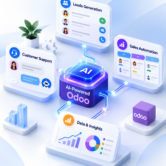
Businesses using Odoo can connect AI-powered website features with their ERP system.
For example, AI can assist with:
- Lead management
- Customer communication
- Sales workflows
- Customer information
- Support requests
- Business automation
This creates a connected ecosystem where website interactions can become part of the company’s broader business workflow.
5. Add AI-Powered Search
AI-powered search can understand user intent instead of relying only on exact keywords.
For an eCommerce website, customers could describe what they need in natural language and receive relevant products.
This can make product discovery faster and improve the overall shopping experience.
6. Use AI for Personalized Recommendations
AI can analyze customer behavior and recommend relevant content, services, or products.
For example, an eCommerce website could recommend products based on:
- Previous purchases
- Browsing behavior
- Product preferences
- Similar customer behavior
Personalization can make the website experience more relevant to individual visitors.
7. Automate Customer Communication
AI can assist with repetitive customer communication.
Businesses can automate:
- Appointment confirmations
- Follow-up messages
- FAQ responses
- Lead notifications
- Order updates
- Support requests
Automation reduces repetitive work and allows employees to focus on more complex tasks.
8. Add AI to Your Website Content Strategy
AI can assist businesses with content-related tasks such as:
- Blog topic research
- FAQ suggestions
- Content recommendations
- Product descriptions
- Content personalization
AI should be used as an assistance tool rather than a replacement for human expertise. Content should always be reviewed for accuracy, originality, relevance, and brand voice.
9. Connect AI With APIs and Third-Party Tools
Modern AI solutions can connect with external services through APIs.
Depending on the business requirement, your website may integrate AI with:
- CRM platforms
- ERP systems
- Payment platforms
- Customer support tools
- Marketing platforms
- Analytics systems
Professional integration ensures these systems exchange information securely and reliably.
10. Test and Monitor Your AI Features
After implementing AI, continuous monitoring is important.
Track metrics such as:
- Customer engagement
- Lead conversion
- Chatbot resolution rate
- Response accuracy
- Customer satisfaction
- Website conversions
Use this information to improve the AI experience over time.
Common Mistakes to Avoid
Businesses should avoid:
- Adding AI without a clear purpose
- Using inaccurate business information
- Ignoring data privacy
- Not testing AI responses
- Replacing human support completely
- Choosing technology based only on trends
AI should support your business strategy rather than become a technology project without measurable goals.
Final Thoughts
Adding AI features to a business website can improve customer support, lead generation, personalization, and operational efficiency.
The most successful AI website solutions begin with a clear business objective. Whether you need an AI chatbot, smart search, automated lead generation, or Odoo integration, the technology should solve a genuine customer or business problem.
Brainwings Infotech helps businesses build and enhance websites with modern AI, automation, integration, and custom development solutions.
If you’re planning to add AI features to your website, our team can help you choose and implement the right solution for your business.